How to Build GoHighLevel Workflows That Convert: GHL Labs Expert Guide
Introduction
Most businesses that come to GHL Labs with underperforming GoHighLevel accounts have one thing in common: their workflows were built to run, not to convert. There is a significant difference between the two, and understanding it is the first step toward turning your GHL account into a consistent lead generation machine.
GoHighLevel is one of the most powerful CRM and automation platforms available to agencies and businesses today. But the platform is only as powerful as the strategy driving it. A poorly structured workflow does not just fail to generate leads it actively damages your relationship with prospects by sending irrelevant messages at the wrong time, failing to follow up, or letting hot leads go cold while your team is focused elsewhere.
According to HubSpot, businesses that use marketing automation see a 451% increase in qualified leads. Salesforce research shows that high-performing sales teams are 2.3x more likely to use automation as part of their outreach strategy. And data from Omni send confirms that multi-channel campaigns generate 287% higher purchase rates than single-channel outreach. The results are achievable but only when the foundation is built correctly.
In this expert guide, the team at GHL Labs walks you through everything you need to know about building GoHighLevel workflows that do not just fire they convert. From foundational setup to advanced AI-powered strategies, this is the guide we wish every GHL user had before they built their first workflow.
Who Is This Guide For?
This guide was written for anyone currently using GoHighLevel or planning to implement it in their business. Whether you are brand new to the platform or have been using it for years without seeing the results you expected, the principles in this guide apply directly to your situation.
Specifically, this guide is for:
Marketing agencies managing GHL accounts for multiple clients
Coaches and consultants using GHL for lead nurture and booking
Local businesses including dentists, roofers, HVAC companies, and contractors
Insurance agencies and real estate professionals
SaaS businesses using GHL for onboarding and customer retention
Any business owner who suspects their current workflows are leaving leads on the table
If you have ever wondered why your GHL account is not generating the results you expected, this guide will show you exactly where to look and what to fix.
Table of Contents
1. What Are GoHighLevel Workflows?
GoHighLevel workflows are the engine behind every automated action that happens inside your GHL account. At their core, they are rule-based sequences that watch for a specific event called a trigger and then execute a series of actions in response. When a lead submits a form, misses a call, books an appointment, or gets tagged in your CRM, a workflow can fire instantly and begin a pre-built communication sequence without any manual input from your team.
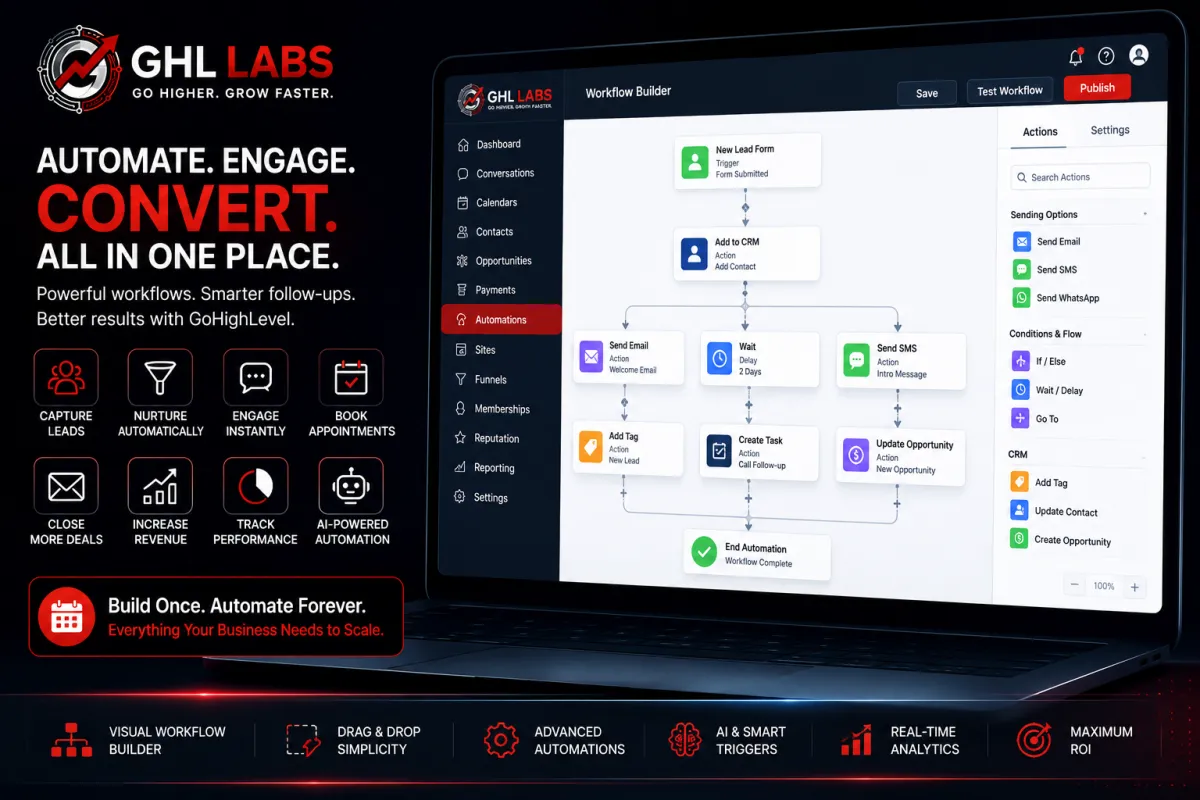
The GHL workflow builder is a visual drag-and-drop interface that lets you chain together dozens of action types: SMS messages, emails, voicemail drops, internal task assignments, pipeline stage changes, tag additions, webhook calls, and more. You can add conditional logic to branch the workflow based on contact behavior, time of day, pipeline stage, or any other data point stored in your CRM.
What separates GHL's workflow system from simpler automation tools is the depth of integration. Because GHL is an all-in-one platform, your workflows have direct access to your contacts, pipelines, calendars, conversations, reputation management tools, and even AI conversation bots all from within the same system. You are not patching together separate tools with Zapier. Everything talks to everything natively.
But that depth of capability is also what makes it easy to build workflows that are technically functional but strategically broken. Understanding what makes a workflow convert not just run is what the rest of this guide is about.
2. The 5 Core Elements of a High-Converting GHL Workflow
Before you open the workflow builder and start connecting nodes, you need to understand the five structural elements that every high-converting GHL workflow shares. Get these right and your workflows will consistently generate results. Miss any one of them and you will find yourself troubleshooting low response rates and wondering why leads are going cold.
Element 1: The Right Trigger
The trigger is the event that starts your workflow. GHL offers a wide library of triggers including form submissions, survey completions, appointment bookings, appointment status changes, pipeline stage changes, tag additions and removals, inbound calls, missed calls, contact creation, and many more.
Choosing the wrong trigger is the single most common reason workflows fail to convert. A nurture sequence triggered by a tag addition will never fire if your team forgets to apply the tag. A missed call text-back triggered by an inbound call will fire on every call, including calls from existing clients who do not need re-engagement.
For lead generation, the highest-performing triggers are: form or survey submission, missed call, and appointment status change. These three triggers cover the majority of conversion-critical moments in a standard sales funnel.
Element 2: Smart Conditions and Filters
Conditions are what transform a broadcast into a personalized experience. After your trigger fires, you can add If/Else branches that check contact data, tag status, pipeline stage, appointment status, or even the time and day of the week. This lets you create a single workflow that behaves differently for different contact types.
For example: a workflow triggered by a form submission might send an immediate SMS to a new lead, but if the submitting contact already has the tag 'Existing Client,' it branches them into a different sequence entirely one that acknowledges the relationship rather than treating them like a cold prospect.
Element 3: Multi-Channel Follow-Up
Single-channel automation is one of the most common mistakes we see in GHL accounts audited by the GHL Labs team. Sending only SMS, or only email, dramatically reduces your reach and your conversion rate. Leads exist across multiple channels and behave differently on each one.
Your workflow should touch leads across at least three channels: SMS for immediacy and high open rates, email for depth and detail, and voicemail drops for a personal human touch. Where appropriate, Facebook Messenger and direct DMs can also be incorporated through GHL's social channel integrations.
Element 4: Strategic Timing and Delays
The timing of your messages matters as much as the content. Bombarding a lead with three messages in the first ten minutes creates anxiety and drives opt-outs. Waiting 48 hours between messages lets leads forget who you are.
A proven timing framework: first message within 5 minutes of the trigger (studies show this can improve conversion rates by up to 900% compared to a 30-minute wait), second touchpoint within 2 hours, third within 24 hours, then every 1 to 2 days until the sequence completes or the lead takes action.
Element 5: A Defined Exit Condition
Every workflow needs to know when to stop. This is one of the most overlooked elements in GHL workflow design and one of the most damaging when it is missing. A workflow without a clear exit condition will continue sending messages to leads who have already booked, already opted out, or already marked themselves as not interested burning your sender reputation and damaging relationships in the process.
Define exit conditions at every conversion point: booking confirmed, reply received, tag added, or goal completed. Use the 'Remove from Workflow' action and apply appropriate tags so your CRM stays clean and your analytics stay meaningful.
💡 Pro Tip: Always test your workflow with a real test contact before going live. Walk through every branch, check every message for merge field errors, and confirm that exit conditions fire correctly. One broken merge tag sent to 500 leads is extremely difficult to recover from.

3. Step-by-Step: Building Your First High-Converting Workflow
Now that you understand the five core elements, let's build a complete lead nurture workflow from scratch. This step-by-step process is the same framework the GHL Labs team uses when building automation systems for agency clients.
Step 1: Define Your Single Goal
Before you open the workflow builder, write down the one thing this workflow is designed to accomplish. Is it getting a lead to book a call? Getting them to reply to a message? Moving them to a specific pipeline stage? Every action in your workflow should serve that single goal. Workflows that try to accomplish multiple goals simultaneously almost always underperform.
Step 2: Select Your Trigger
Navigate to Automations > Workflows > New Workflow and select your trigger. For a new lead nurture sequence, use 'Form Submitted' or 'Survey Submitted.' For missed call recovery, use 'Missed Call.' For re-engagement, use 'Tag Added.' Match the trigger precisely to the entry point of your funnel.
Step 3: Build the Immediate Response
The first action in your workflow should fire within 60 seconds of the trigger. For most lead generation workflows, this is an SMS. The message should be brief, warm, and include a clear next step:
"Hey [First Name], thanks for reaching out to [Business Name]! We just received your enquiry and someone from our team will follow up shortly. In the meantime, you can book a call directly here: https://ghllabs.com/#booking"
Step 4: Build the Follow-Up Sequence
After the immediate response, build a 7-day follow-up sequence across multiple channels. A proven structure used by the GHL Labs team:
TimingChannelMessage
Day 0, Hour 0SMSImmediate response with booking link
Day 0, Hour 2EmailValue-driven introduction, overview of what you do, and a link to a useful resource
Day 1SMSFriendly check-in with a soft call to action
Day 2Voicemail DropA brief personal message from the team, not a sales pitch
Day 3EmailA client case study, testimonial, or result that builds credibility
Day 5SMSA direct, time-sensitive offer or booking prompt
Day 7EmailA final follow-up that closes the loop respectfully
Step 5: Add Conditional Branching
After each message, add an If/Else condition that checks whether the contact has taken the desired action. If they have booked, replied, or been tagged as converted, route them out of the sequence immediately. If they have not, continue to the next step. This prevents leads from receiving messages that are no longer relevant to their stage in the funnel.
Step 6: Set Exit Conditions and Apply Tags
At every conversion point, add a 'Remove from Workflow' action and apply a tag that reflects the contact's current status: Booked, Qualified, Not Interested, or Re-Engage Later. This keeps your CRM organized and makes your reporting data reliable. It also ensures that if the same contact enters another workflow in the future, they are not treated as a cold lead.
💡 Pro Tip: Never run two active nurture sequences on the same contact at the same time. The resulting duplicate messages confuse leads and create compliance risks. Use entry conditions and tags to prevent workflow overlap across your account.
4. Advanced GHL Workflow Strategies
Once your base workflow is live and converting, these advanced strategies will help you squeeze significantly more value from every lead that enters your GHL account.
AI-Powered Conversation Workflows
GHL's native AI conversation feature is one of the most underutilized tools in the platform. When configured correctly, the AI can handle initial inbound enquiries, qualify leads by asking scripted questions, capture key information, and even book appointments directly into your calendar all without any human involvement.
To implement this, add a 'Conversation AI' action to your workflow immediately after the trigger. Define the bot's goal clearly: is it to book a call, capture a name and email, or answer FAQs? The more specific your bot's goal, the better it performs. This strategy is especially powerful for after-hours lead capture, where human response time is unavoidably slow.
Pipeline-Stage Re-Engagement Workflows
One of the highest-value workflows you can build in GHL is a pipeline-triggered re-engagement sequence. Set up a workflow that fires when a contact has been in the same pipeline stage for longer than a defined number of days without activity.
A contact sitting in 'Proposal Sent' for 5 days with no response should automatically receive a follow-up message. A contact in 'Trial Started' who has not engaged in 3 days should receive a check-in from the team. These micro-automations run entirely in the background and can recover 20 to 30 percent of stalled deals without any manual intervention from your sales team.
Reputation Management Automation
After every completed job, closed deal, or successful service delivery, your GHL account should automatically trigger a review request sequence. Send an SMS asking the client how their experience was. If they respond positively, immediately follow up with a direct link to your Google Business Profile review page. If they respond with a concern, route them to a human team member rather than a public review platform.
This workflow runs entirely on autopilot and consistently builds your online reputation over time one of the most important ranking factors for local businesses using Google Search.
Missed Call Text-Back
This is one of the simplest and highest-ROI workflows available in GHL, and it is one of the first things the GHL Labs team activates during every account audit. When an inbound call goes unanswered, GHL fires an immediate SMS to the caller within seconds before they have had time to dial a competitor.
The message is brief: acknowledge the missed call, let them know someone will be in touch shortly, and provide an option to book directly. This single workflow recovers a meaningful percentage of leads that would otherwise be permanently lost.

Appointment Reminder and No-Show Recovery
Set up automated reminder sequences for every appointment booked through your GHL calendar. Send an SMS reminder 24 hours before, another 2 hours before, and a final message 15 minutes before. For contacts who do not show up, trigger a no-show recovery workflow immediately after the appointment window closes a brief SMS acknowledging the missed call and offering a simple reschedule link.
5. Common GoHighLevel Workflow Mistakes to Avoid
The GHL Labs team reviews dozens of GoHighLevel accounts every month. These are the most common workflow mistakes we find and the ones that cost businesses the most leads.
Overcomplicating the Workflow
The most effective workflows are almost always the simplest ones. If your workflow has more than 15 to 20 steps and you cannot explain the logic to someone in under 60 seconds, it is too complex. Complexity creates more points of failure, makes troubleshooting harder, and usually signals that the workflow is trying to accomplish too many goals at once. Simplify, split into multiple focused workflows, and test each one independently.
No Human Handoff Point
Automation is extraordinarily effective at starting conversations. It is not designed to close them especially for high-ticket services. Every workflow should include a defined point at which a real human takes over: a notification to the sales team, an internal task assignment, or a Slack alert. Without this handoff, warm leads who are ready to buy can sit in an automated sequence far longer than they should.
Ignoring Compliance and Opt-Outs
GHL automatically tracks SMS opt-outs, but your workflows must be configured to respect them. Sending messages to opted-out contacts is not just ineffective it exposes your business to compliance risk under TCPA regulations in the US and equivalent legislation in other markets. Regularly audit your opt-out handling and make sure every workflow entry has an opt-out check built in.
Skipping the Pre-Launch Test
This is the most costly mistake and the most preventable. Always run every new workflow through a test contact before activating it for live leads. Test every branch, every delay, every conditional path, and every merge field. A broken first name merge tag sent to 1,000 leads in the first hour of a campaign launch can do serious damage to your brand and your sender reputation.
Building Workflows and Never Reviewing Them
Workflows are not fire-and-forget systems. Lead behavior changes, market conditions shift, and what converted at a 40% rate six months ago might convert at 15% today. Review your workflow analytics at least monthly. GHL provides open rates, reply rates, click rates, and conversion events inside the workflow reporting dashboard. Use this data to optimize your sequences over time.
6. Basic vs. High-Converting Workflow: A Comparison
The table below illustrates the key differences between a basic GHL workflow and a high-converting one. If your current setup looks more like the left column than the right, it is time for an audit.
Basic Automation
→ Sends only a single SMS with no multi-channel follow-up.
→ Uses simple workflows with no conditions, branching, or filters.
→ Requires manual CRM updates and contact management.
→ Has no exit conditions, so contacts may continue receiving messages unnecessarily.
→ Sends generic, one-size-fits-all communication.
→ Messages are sent immediately or at random without strategic timing.
→ Performance is rarely or never reviewed or optimized.
→ Does not use AI features for conversations or voice interactions.
→ Has no lead recovery process for missed opportunities.
→ Relies on manual requests to collect customer reviews.
High-Converting Automation
→ Engages leads through multiple channels including SMS, Email, and Voicemail.
→ Uses smart branching, conditions, and filters to personalize every journey.
→ Automatically updates the CRM based on customer actions.
→ Includes clear exit conditions to prevent unnecessary follow-ups.
→ Delivers personalized communication based on customer behavior.
→ Uses strategic delays and scheduling to maximize engagement.
→ Leverages AI Conversations and Voice AI to qualify and assist leads.
→ Reviews workflow performance monthly to improve conversion rates.
→ Automatically recovers missed opportunities with missed call text-back.
→ Automates review request sequences to consistently build online reputation.
7. How GHL Labs Can Help
At GHL Labs, we specialize exclusively in GoHighLevel. We do not offer generic digital marketing services or broad agency solutions. Our entire focus is on helping businesses and agencies get more out of their GHL investment through expert account audits, workflow builds, funnel optimization, AI voice implementation, and ongoing account management.
Every week, our team audits GoHighLevel accounts across a wide range of industries. The same problems come up repeatedly: workflows that fire but never convert, pipelines with contacts stuck at the same stage for weeks, missed call sequences that were never activated, and AI conversation tools that were set up incorrectly or not at all. These are not edge cases they are the norm for accounts that were set up without a clear conversion strategy.
The good news is that most of these issues are fixable in a single session. The challenge is knowing where to look.
That is exactly what our free GHL account audit is designed to do. During the audit, we review your complete GHL account including all active workflows, pipeline structure, contact management, automation logic, funnel performance, and AI tool configuration. We identify what is working, what is broken, and what needs to be built then deliver a clear, prioritized set of recommendations you can act on immediately.
There is no obligation, no sales pressure, and no fluff. Just a clear picture of where your account stands and a roadmap for making it perform the way it was designed to.
Ready to Optimize Your GoHighLevel Account?
Whether you are just getting started or have been using GoHighLevel for years, a professional GHL Labs audit will reveal hidden opportunities to improve your CRM, workflows, funnels, and automation performance.
Book your FREE GHL Account Audit →
✔ No obligation ✔ Personalized recommendations ✔ Expert account review ✔ Actionable insights
8. Frequently Asked Questions
What is a GoHighLevel workflow? A GoHighLevel workflow is a rule-based automation sequence that triggers a series of actions such as sending SMS messages, emails, or voicemail drops based on a specific event in your CRM, such as a form submission, missed call, or pipeline stage change. Workflows allow businesses to automate follow-up and communication at scale without manual effort.
How many workflows should I have in my GHL account? There is no single right number, but most well-optimized accounts maintain focused workflows for lead nurture, missed call recovery, appointment reminders, post-service review requests, and pipeline re-engagement. Prioritize quality and clarity over quantity. Five workflows that are built correctly will outperform fifty that are not.
Can GoHighLevel replace Zapier? For the majority of GHL-native workflows, yes. GHL's internal trigger and action library covers most common automation scenarios without needing a third-party connector. For highly custom integrations with non-GHL tools, Zapier or Make (formerly Integromat) can still be used alongside GHL as a bridge.
Does GoHighLevel have AI built in? Yes. GHL includes a native AI conversation feature that can respond to inbound messages, qualify leads, answer FAQs, and book appointments automatically. It also supports AI voice through its phone system, allowing you to deploy voice AI agents for inbound and outbound calls. GHL Labs specializes in configuring and optimizing these AI tools for maximum performance.
What is the missed call text-back feature in GHL? Missed call text-back is a GHL automation that sends an immediate SMS to any inbound caller whose call went unanswered. The message fires within seconds of the missed call, recovering leads before they have the chance to call a competitor. It is one of the highest-ROI automations available in the platform and should be active in every GHL account.
Can GHL send SMS and emails in the same workflow? Yes. GHL's workflow builder supports multi-channel actions within the same sequence. You can send an SMS, follow it with an email, drop a voicemail, and assign an internal task all from a single workflow. This multi-channel capability is central to the high-converting workflow approach outlined in this guide.
How often should I review my GHL workflows? At minimum, once per quarter. For high-volume accounts, monthly reviews are recommended. GHL provides workflow analytics including open rates, reply rates, click rates, and goal completion events. Use this data to identify sequences that are underperforming and optimize accordingly. GHL Labs offers ongoing account management for businesses that want expert eyes on their account every month.
What does a GHL Labs account audit cover? During a GHL Labs audit, we review your complete GoHighLevel account including all active and inactive workflows, pipeline structure and stage logic, contact management and tagging system, funnel performance, AI conversation configuration, and automation gaps. We deliver a prioritized set of findings and recommendations you can implement immediately or hand off to the GHL Labs team to build for you.
Do I need to be technical to use GHL workflows? GHL's visual workflow builder is designed to be accessible to non-technical users, but building workflows that actually convert with proper conditional logic, exit conditions, and multi-channel sequencing requires strategic knowledge and platform experience. GHL Labs works with businesses at every level: we can teach you to build workflows yourself, review and optimize your existing ones, or build your entire automation system from scratch.
How long does it take to see results from GHL automations? When workflows are built correctly and activated on a consistent lead flow, most businesses begin seeing measurable improvements in lead response rates and booking rates within the first 30 days. The missed call text-back and immediate response workflows often show results within the first week of activation.
9. Final Thoughts
GoHighLevel gives agencies and businesses a level of automation capability that was previously available only to enterprise companies with large technology budgets. But the platform's power is entirely dependent on the quality of the strategy behind it. A GoHighLevel account with poorly built workflows is not just an underperforming asset it is an actively leaking funnel that is quietly costing you leads every single day.
Building workflows that convert is not about adding more steps or more messages. It is about understanding your lead's journey, defining clear goals for each automation, choosing the right triggers, building intelligent branching logic, and reviewing performance consistently over time.
Start with one workflow. Build it correctly. Test it thoroughly. Review it regularly. Then build the next one. That is how GHL accounts go from average to exceptional and it is exactly the approach the GHL Labs team takes with every account we work on.
If you are ready to find out what your GHL account is really capable of, book your free audit with GHL Labs today. We will show you exactly what is working, what needs to be fixed, and what you are missing entirely.
Book your free GHL account audit
About the Author
Muhammad Shams-ul-Haq
Founder, GHL Labs | GoHighLevel Specialist
Muhammad Shams-ul-Haq is the founder of GHL Labs and a GoHighLevel specialist with over four years of hands-on experience helping agencies and businesses implement CRM systems, automation, AI voice solutions, funnels, websites, and workflow optimization. Through GHL Labs, he helps businesses maximize the value of their GoHighLevel investment with tailored solutions and expert guidance.
Recommended Reading
Is Your GHL Account Costing You Leads? Get a Free Expert Audit — https://ghllabs.com/#booking
GoHighLevel Voice AI: What 2 Million Monthly Calls Tell Us — https://ghllabs.com/#booking
Common GoHighLevel Mistakes Agencies Make — https://ghllabs.com/#booking
GHL Labs Services Overview — https://ghllabs.com/#booking
Book a Free GHL Audit with GHL Labs — https://ghllabs.com/#booking


